
Individuals
Keep your own subscriptions, logins and renewals in one calm place, and know what you're paying for each month.
For example: A trial ends on Friday. You see it on Wednesday.
Secure subscription management
Manage subscriptions, credentials, MFA, OTPs, and team access from one secure workspace built for modern businesses.
Free while in early access. No card needed.
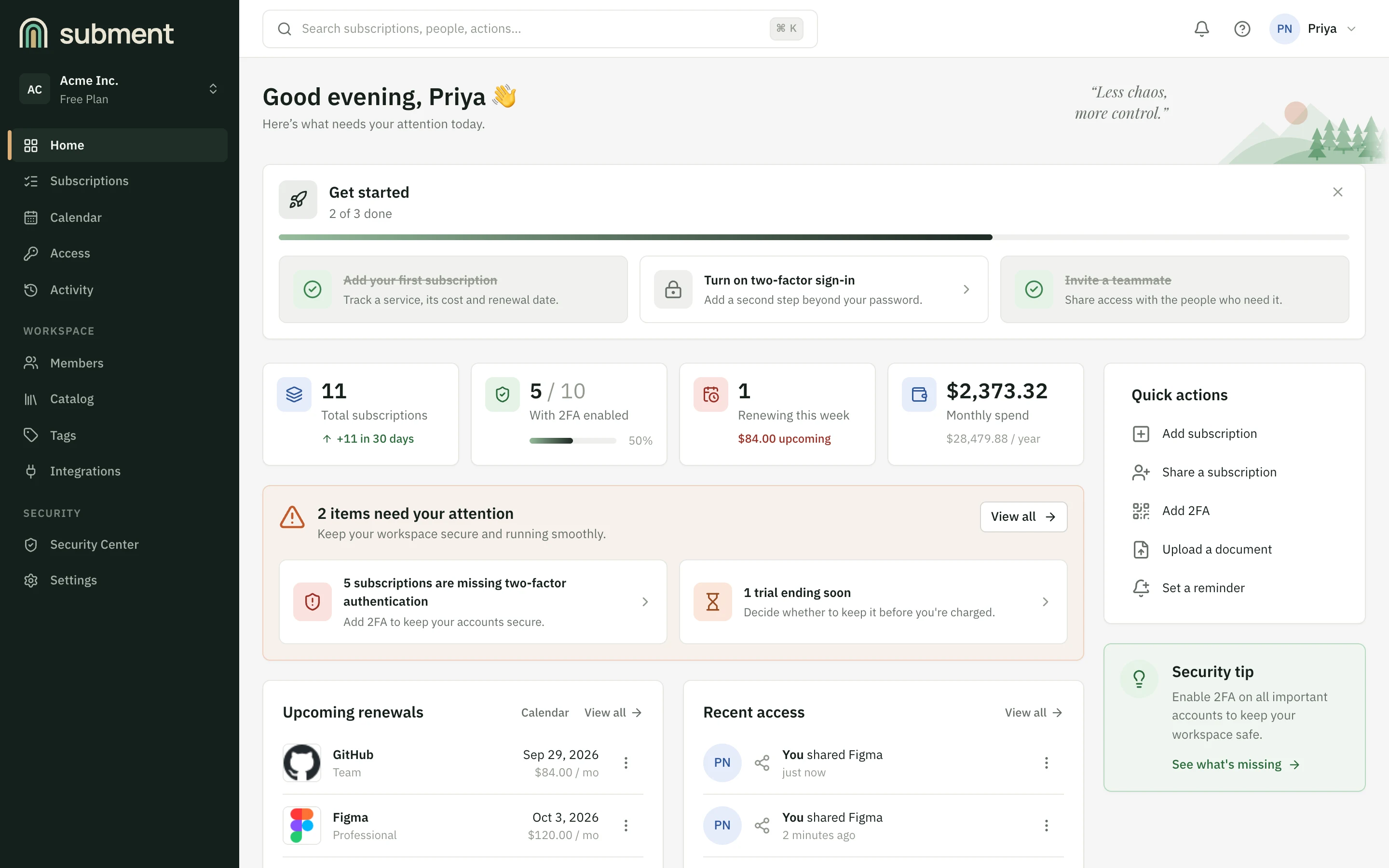
What Subment is built on, today.
The problem
Every subscription is more than a line on an invoice. But the things that belong to it end up wherever was convenient at the time, and the subscription itself has no real home.
One subscription, five places
The subscription
Plan, seats, renewal date
In the vendor's own dashboard
The password
The login that unlocks it
Somewhere else entirely
The MFA code
The second factor
On one person's phone
The billing
What it costs, and when
In a spreadsheet
The access
Who can use it
In chats, and in memory
Subment gives the subscription a home.
What Subment changes
Behind every subscription there's a plan and a price, but also a login, a second factor, a verification code and the people who use it. Subment treats them as one thing, not five.
One workspace, kept secure
The centre of it all
Subscription
Everything below belongs to it.
Credentials & authentication
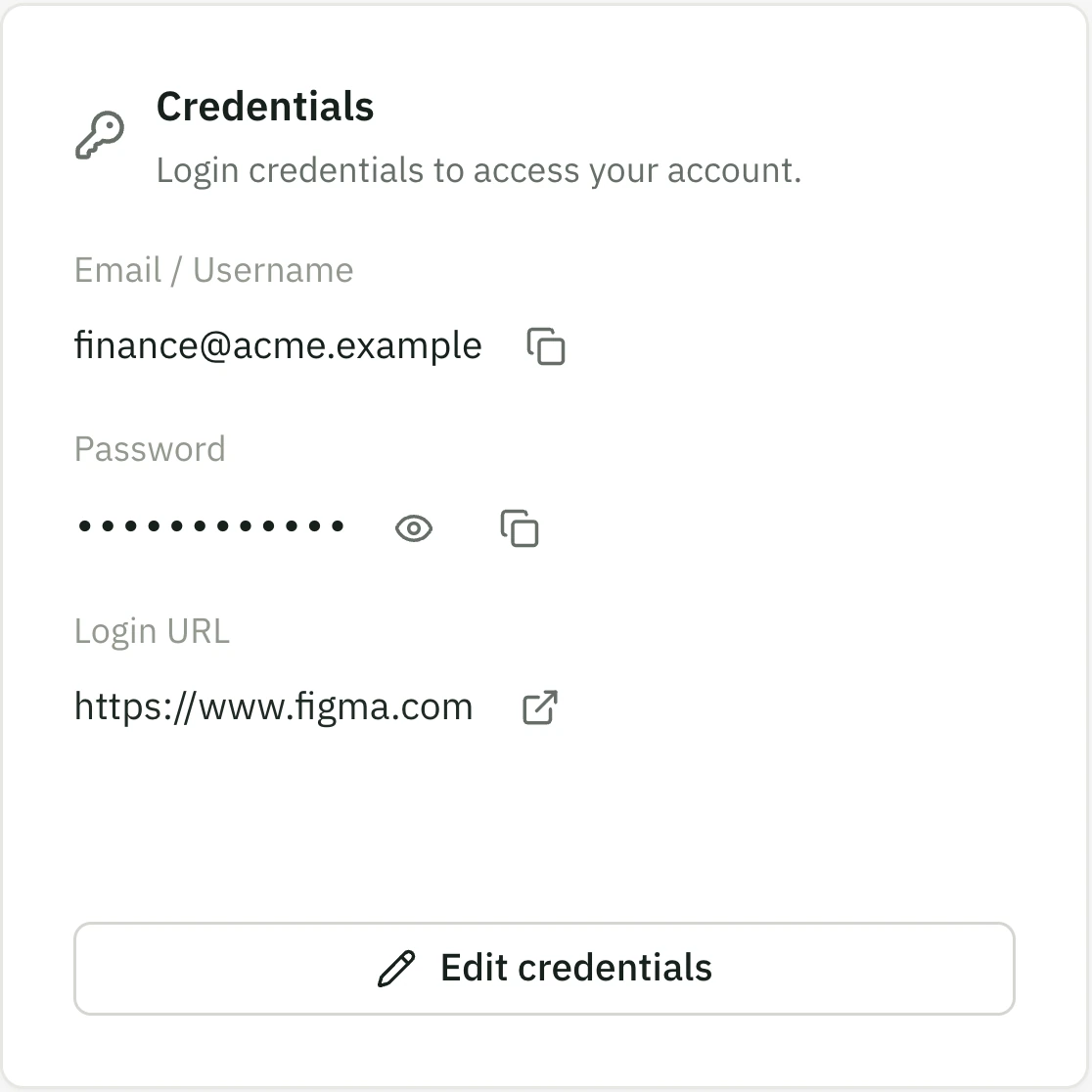
Credentials
The login, encrypted and masked until revealed.
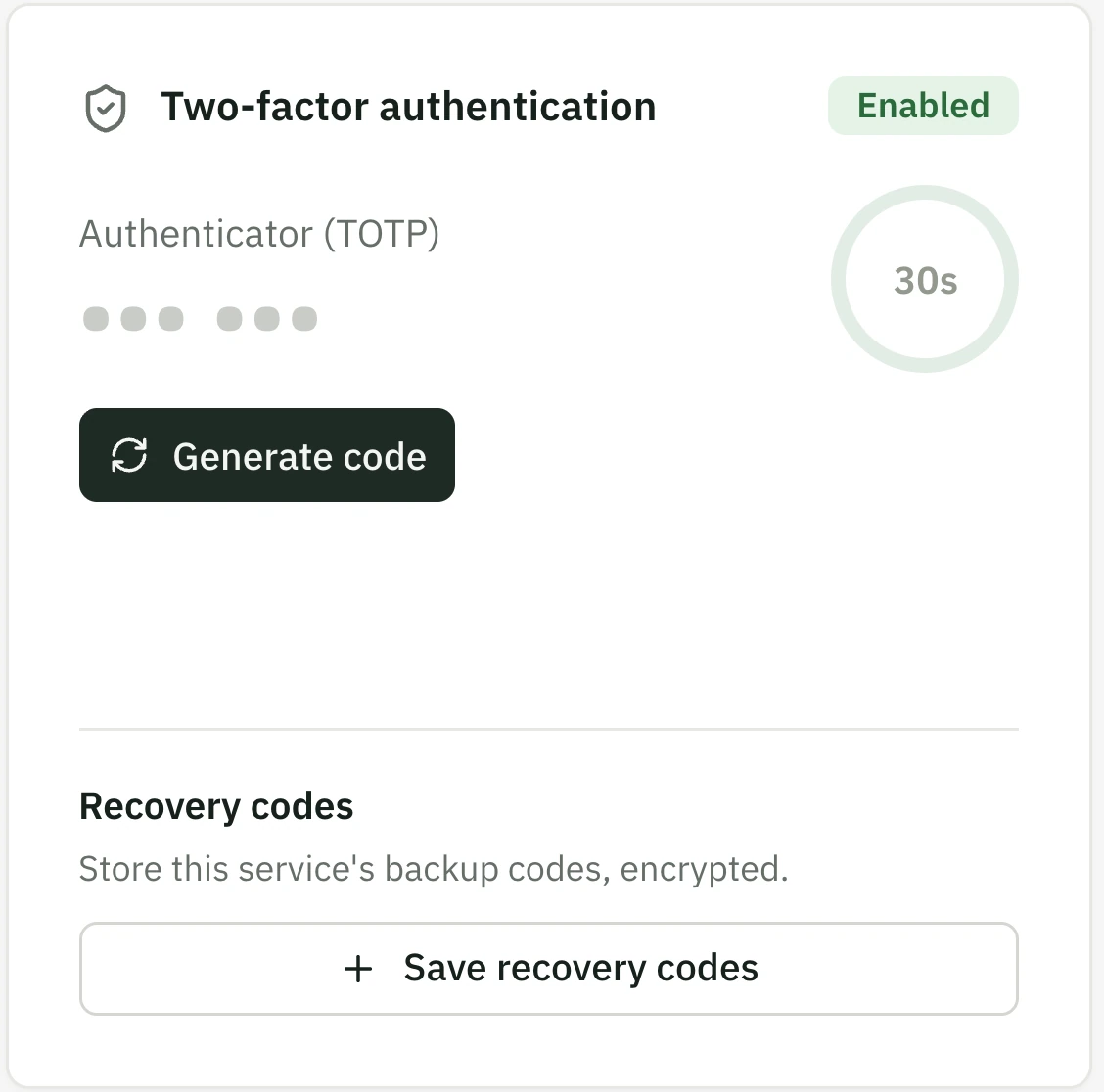
TOTP / MFA
Two-factor codes, generated when someone needs one.
OTPIn development
Verification codes, read beside the subscription.
Billing & cost
Billing
Plan, price, billing cycle and seats.
Renewal
Renewals and trial endings, before they bill.
History
Every plan change kept. Nothing is overwritten.
People & access
People
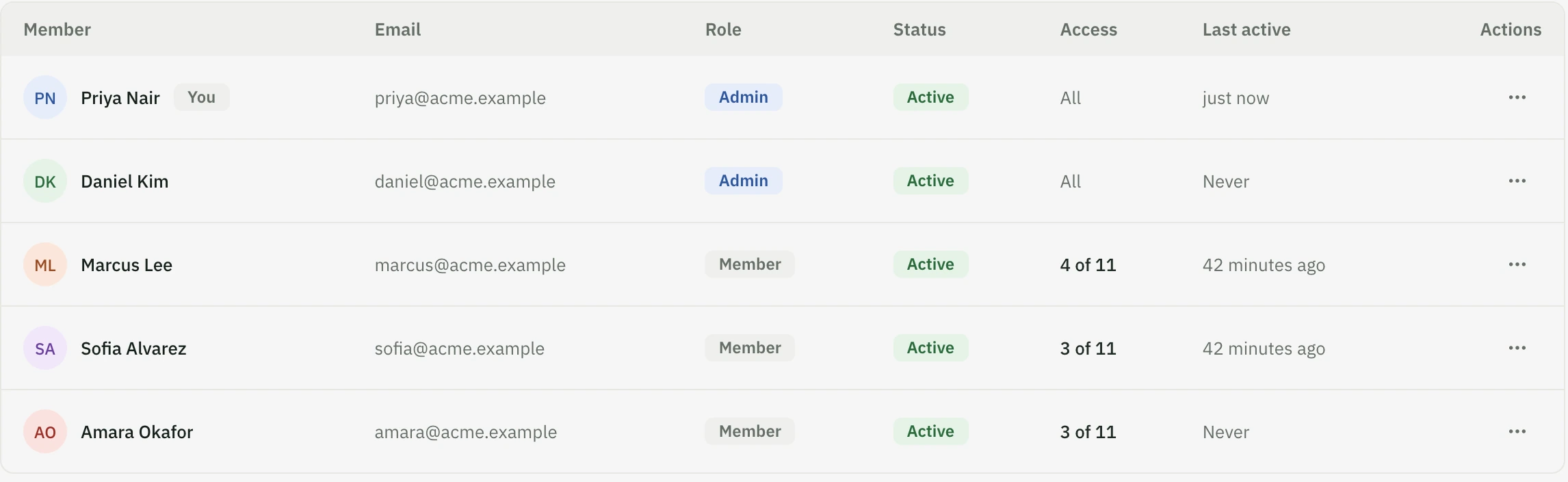
The members of your workspace, and their roles.
Access
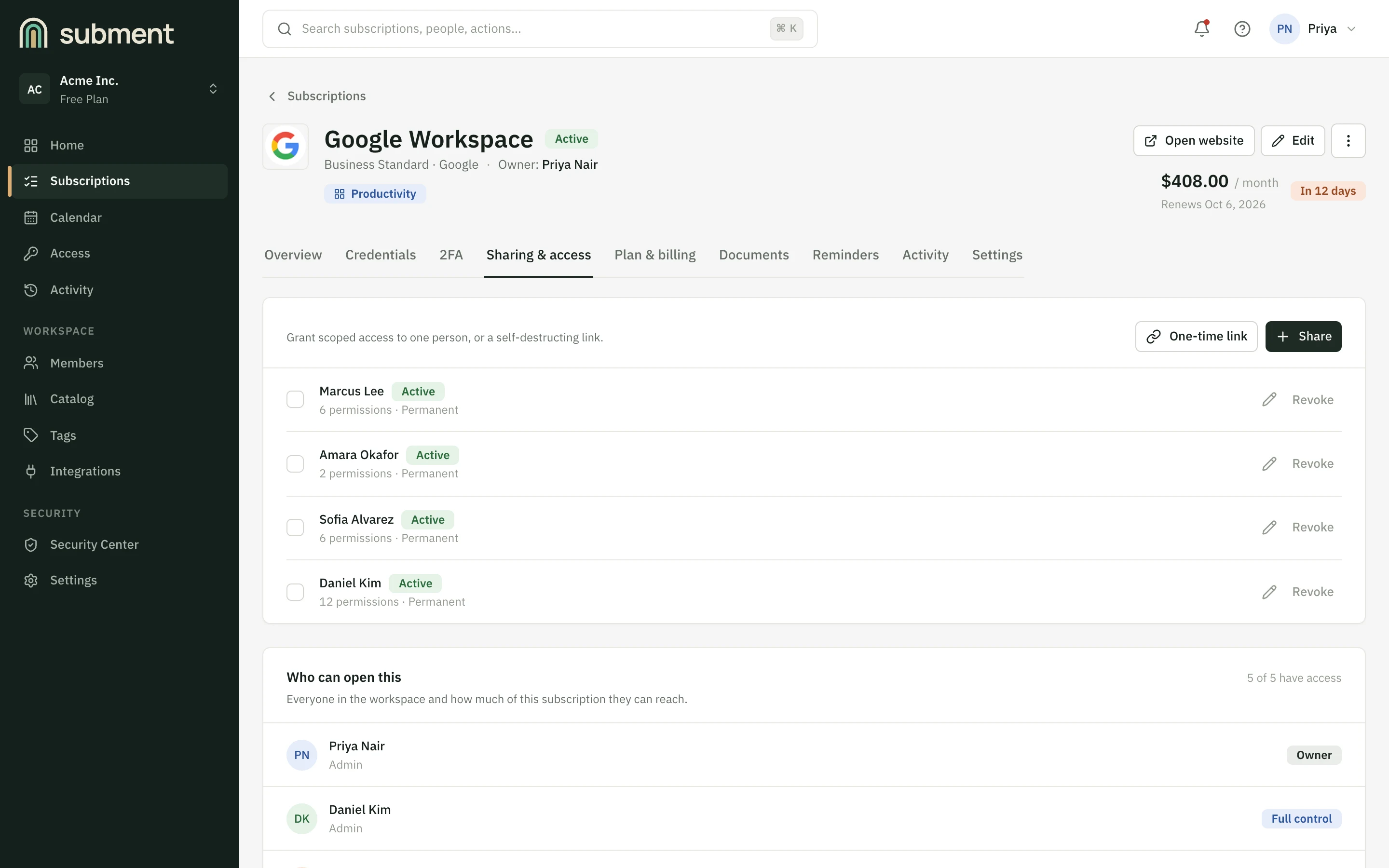
View, Use or Manage, set per person, per subscription.
Activity
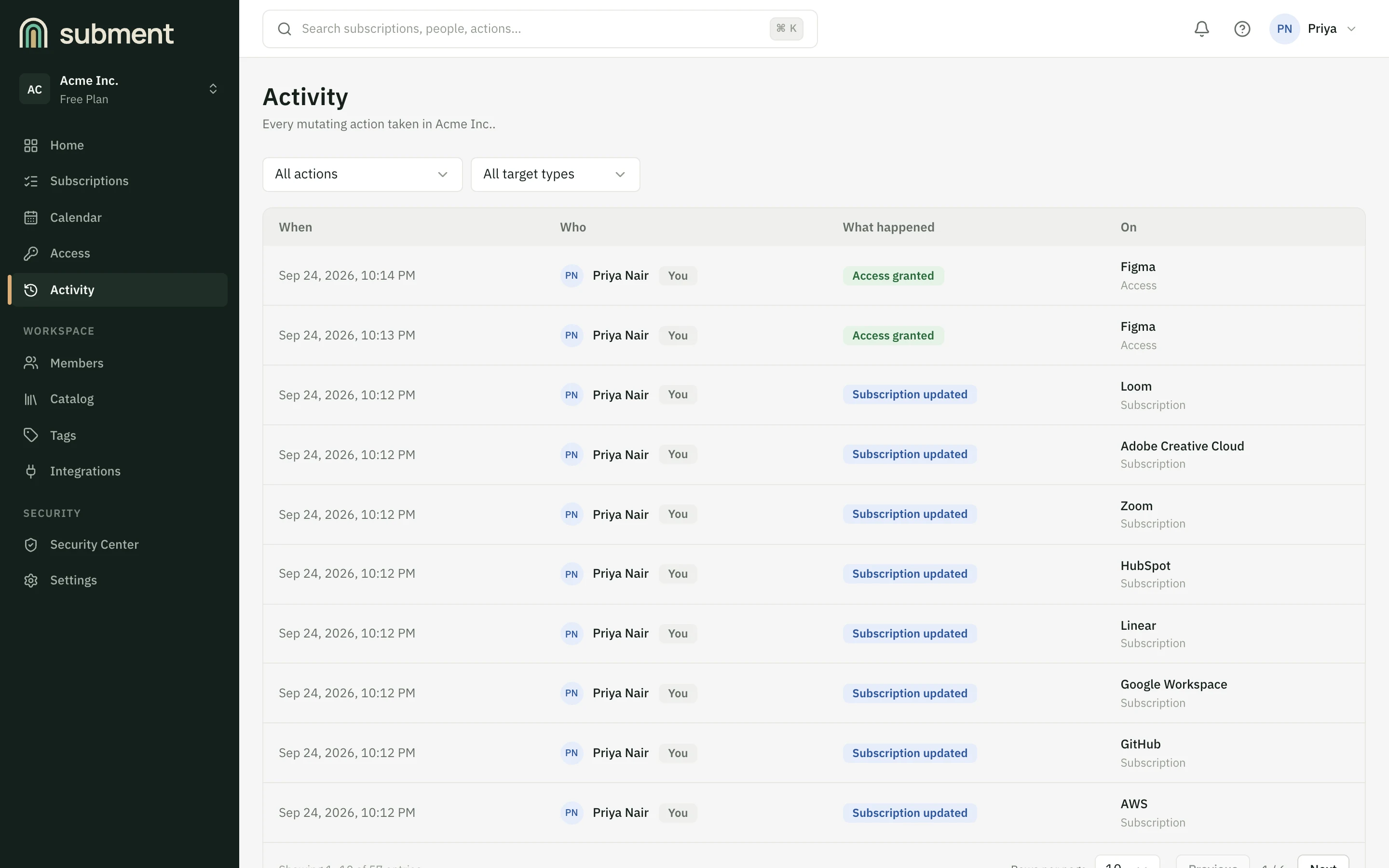
Who opened what, and when.
Subment keeps everything connected to the subscription in one secure place.
Before and after
Most teams hold their subscriptions together with a handful of things that were never meant to talk to each other. With Subment, everything stays connected.
The usual way
Five separate places. Nothing links them, so someone has to remember how.
With Subment
One subscription, with everything that belongs to it attached.
Where logins live
The usual way: A spreadsheet, a chat thread, someone's memory
With Subment: On the subscription, encrypted and masked
Who can see a password
The usual way: Anyone who has the file
With Subment: Only people you choose. Others can use it without seeing it
Two-factor codes
The usual way: On one person's phone
With Subment: Generated on demand for people with access
Renewals
The usual way: A calendar entry, if someone made one
With Subment: Dashboard and calendar, before they bill
When someone leaves
The usual way: Change everything and hope
With Subment: Remove access, and see what they opened
The product
Plans, billing, credentials, authentication, access and history stay connected to the subscription they belong to.
These aren't separate tools. They work together around each subscription.
Everything below is the real product, shown with a sample workspace.
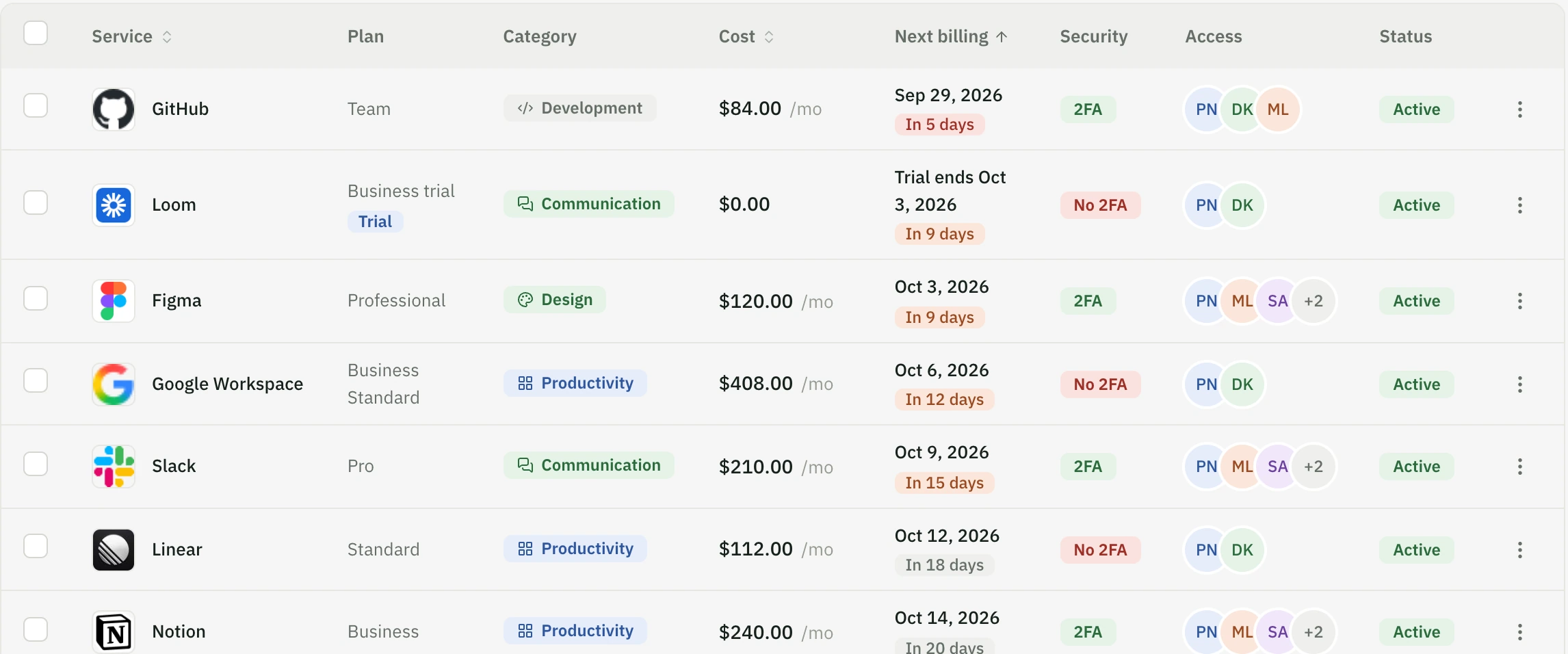
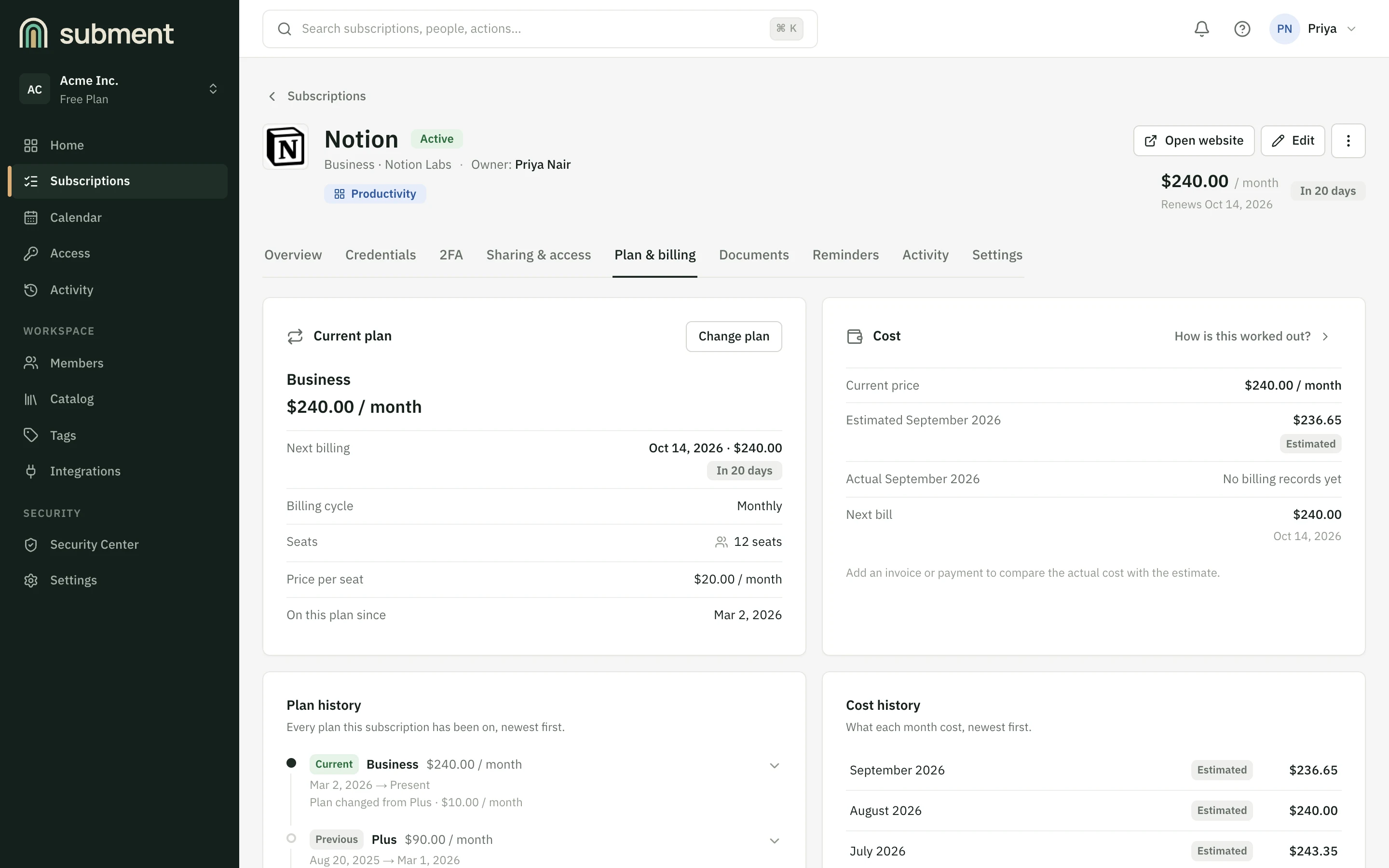
Subscription management
Keep plans, billing cycles, renewal dates, seats and pricing organized in one list, with the rest of each subscription one click away.
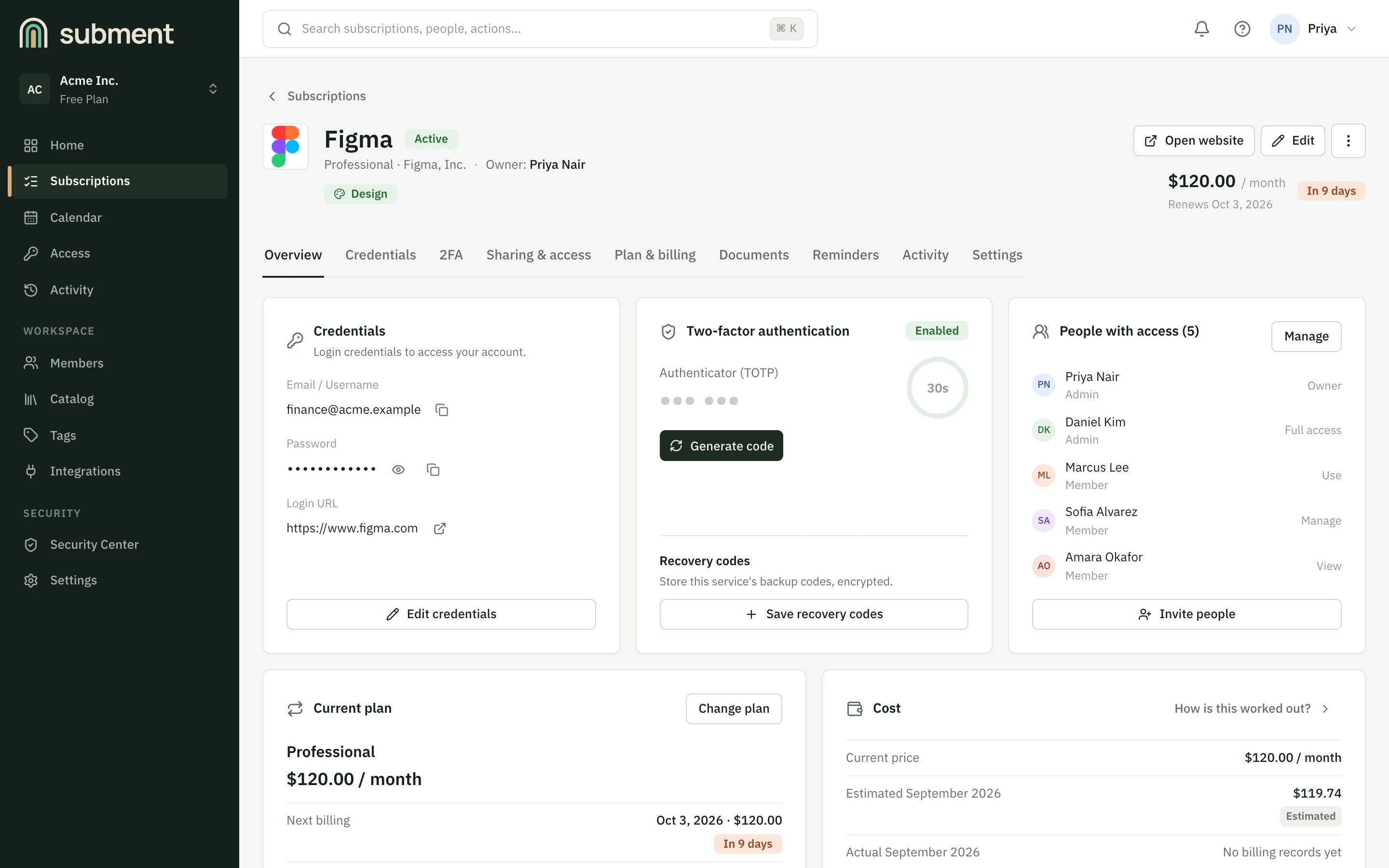
Credentials and authentication
The saved login, its two-factor codes and the people who can use them sit on the subscription they belong to. No hunting through other tools.
OTP inbox
Verification codes, read next to the subscription they belong to.
In developmentWorkspace and shared access
Subscriptions and people are organized by workspace, so each team sees its own. Decide who can open each subscription and what they see when they do.
Who Subment is for
The same workspace, whether you're managing your own subscriptions or an organization's.
Keep your own subscriptions, logins and renewals in one calm place, and know what you're paying for each month.
For example: A trial ends on Friday. You see it on Wednesday.
Give a growing team the tools it needs without passing passwords around, and take access back the day someone leaves.
For example: A new hire gets exactly the tools they need, and can use a login without ever seeing the password.
Keep each client's tools in a workspace of their own, and let clients fill in their own subscriptions through an onboarding link.
For example: Your team reaches the accounts they work on, and no others.
See who can open what across the organization, with workspace roles, per-subscription permissions and an activity log.
For example: When someone leaves, the log shows which logins and codes they opened.
Security
Subment holds the details that unlock your subscriptions, so protecting them comes first. This is what it protects, and how. Every line describes what is built today.
Credentials
Logins and API keys, encrypted individually.
TOTP secrets
Encrypted, and turned into codes only on request.
Recovery codes
Encrypted like any other secret.
Subscription data
Plans, costs and renewals, visible only inside their workspace.
Workspace data
Members, roles and activity, scoped to one workspace.
OTP informationIn development
Verification codes, once the inbox ships.
Secrets are encrypted with AES-256-GCM before they are stored, each workspace under its own key, which is itself protected by a key management service.
Account passwords are hashed with Argon2id, and two-factor sign-in is available to protect the account itself.
Workspace roles and per-subscription permissions decide who can open a login, a 2FA code or a password. They are checked on the server, every time.
Every workspace has its own encryption key and its own members. Access to one does not extend to another.
Sign-in tokens live in httpOnly cookies that page scripts cannot read. Sign-in and sensitive actions are rate-limited.
Revealing a password or generating a code is recorded with who and when, and never with the secret itself.
A score for how well your logins are protected: no 2FA, old or expired secrets, unsecured login pages. Weak and reused passwords are found by a scan you run on purpose, in memory, and nothing derived from a password is kept.
See everything a person could reach, take it back in one step, and get a checklist of the logins they knew that ticks itself off as passwords are changed.
1Stored
Encrypted before it is saved
2Listed
Shown masked
3Revealed
Only on request, by someone permitted
4Recorded
Who and when, without the secret
See how it works
Four small, working models of how Subment treats sensitive information. Try them: it is sample data only, and nothing you do here is sent anywhere.
01
A saved password stays hidden. Revealing or copying it is a deliberate act, and it leaves a line in the activity log.
Team admin login
design@acme.example
•••••••••••
Masked until someone asks to see it.
Activity
02
Two-factor codes are generated when someone needs one, with the same countdown your phone shows.
Authenticator · Notion
--- ---
A live code from a demo secret. It's computed in your browser the same way an authenticator app does (RFC 6238), and it changes every 30 seconds.
03
Share a login with a contractor without pasting it into chat. Make a link, open it, then try to open it again.
What should the person see?
Link expires after
04
View, Use or Manage: pick one for each person and see exactly what changes for them.
Access to Slack
Cost management
Each subscription carries its own plan, billing cycle, seats and history, so cost comes from what is recorded rather than from adding up invoices at the end of the year.
This is plain arithmetic in your browser, not an estimate of what Subment would save you. Nothing here is sent anywhere.
You spend about
$18,000/ year
Of which sits idle
$2,700/ year
Subment replaces this guess with what each subscription is recorded as costing.
Get started freeEarly access
Subment is in early access, and it's free to use while we shape it with our first users. It's a secure home for the subscriptions, credentials, and access your team relies on.
We're early, and we'd rather say so. That's why this page has no customer logos, no testimonials and no numbers we can't stand behind. Expect things to change, and tell us what you'd change.
Where the product is today. No dates, no promises.
Working today
In development
Coming later
Questions
Secrets are encrypted before they're stored, each workspace under its own key. But Subment isn't zero-knowledge: the service holds what it needs to decrypt a secret when an authorized person asks to reveal it. That's what lets it generate 2FA codes and share a login with a teammate. We'd rather tell you that than imply otherwise. If key management ever changes, this page will change with it.
Two-factor sign-in is available to protect the account. Revealing a password also asks for a recent sign-in confirmation, so a session left open on a laptop isn't enough on its own. Each reveal is recorded in the activity log.
Only the people you've given access to that subscription, at the level you chose: View, Use or Manage. At "Use" someone can copy a password or a 2FA code without seeing the password. Removing them ends that access on their next request.
Yes, in early access: you can create an account today. It's real and it works, but it's young, so expect things to change and some rough edges. The screenshots on this page are the real product with a sample workspace.
We'll publish hosting and data-location details on this page as soon as they're final. We'd rather wait than promise something we might have to take back.
It overlaps, but the centre of Subment is the subscription: its plan, cost and renewal, the credentials that unlock it, and the people who use it. Keep your personal passwords wherever you like.
Nothing while Subment is in early access: everything is free and no card is needed. Paid plans are planned, and the planned prices are on the pricing page. Nothing you've stored is ever deleted or locked because of a plan, and you'll get notice before anything changes.
One is in development. The web app works in a browser today.
Yes. Export your subscriptions as CSV or JSON, download everything held about you, and delete your account, all from Settings. Exports never contain passwords, keys or 2FA codes.
We use them to tell you when paid plans start or when something big changes, and for nothing else. The Privacy page lists exactly what's collected and how to have it removed.
Bring subscriptions, credentials, authentication, and team access together with Subment. It's free while in early access.
Not ready yet? Leave your email and we'll tell you when paid plans start. No spam.